

Blog
Welcome


Recent posts
SEARCH RESULTS FOR: Melissa Worthington

A personal website for your clients, with your photography, your client's album design, a gift registry, a guest book, a link to your own site… oh, and a shopping cart! In just a few minutes you can create a beautiful-looking site that your clients will find appealing and useful, that provides a convenient way to interact with them about their album, and that helps spread the word about you, while encouraging some nice add-on sales from friends and family. Workspace has three new and improved designs that reflect our web themes, are mobile responsive, and are just as easy To View More >>


We’ve been fine-tuning the Workspace blog with two new features to display your photography beautifully. Now readers can enlarge your images by clicking the '+' icon in the top right hand corner. The enlarged image will fill a notepad screen or browser window up to 1600 pixels. Click the icon on Leah's photo above to see what we mean! How to: The "enlarge" feature works automatically, but if you're uploading images specifically for the blog (instead of grabbing images from an Event) don't make them too big or they'll be slow to load. 1600 To View More >>

This post on Cam Grove’s Instagram made our day, and we so agree that first impressions are lasting impressions. I once read an article in PDN about photographer's studios, and this one photographer was explaining how he had dropped thousands of dollars on buying this particular handle for his front door. He reasoned that the first physical contact that prospective clients had with him and his business was when they opened the door to his studio. He wanted that initial touch to immediately convey all the things intrinsic to his business; strength, substance, craftsmanship... It's a story To View More >>
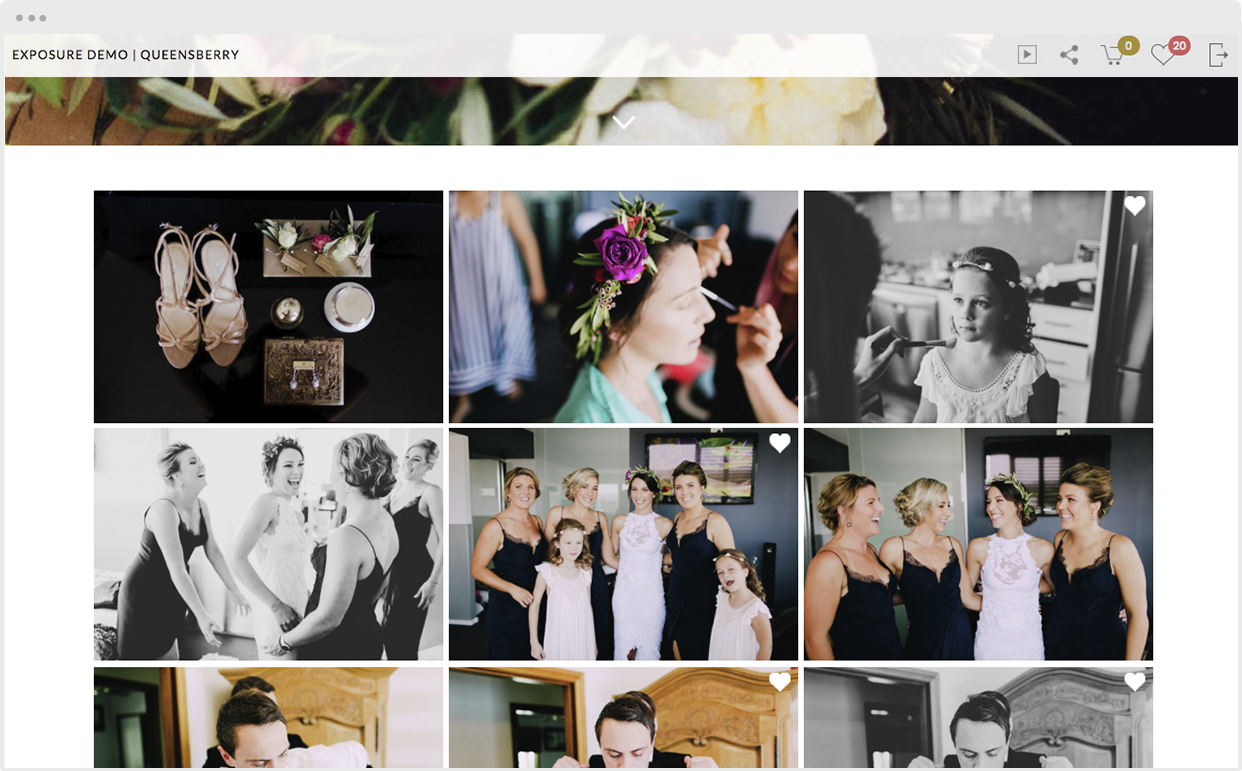
The sole purpose of our Favourites feature is to make your job as a photographer easier. Your clients select their favourite images by clicking the Workspace heart while hovering over an image. (On mobile you can reveal the Favourite button by tapping an image to view it full screen.) Your clients can review their Favourites by clicking the Heart icon at the top right of the screen. You can view them too, in the backend of Workspace, and use them, for example, to order prints, or other products you offer, or to design an album. To View More >>

We’ve introduced a new way for your clients to order a Q-Box. As a photographer you can order wholesale, provided you have an approved account. These notes are to help you sell Q-Boxes in your own shopping cart, at your own prices. Step 1 - Favourite the images: In your client's gallery, they can click the Workspace Heart to select the images they wish to include in their Q-Box. (For more on how to favourite images, click here.) And not to worry, they can add / remove / edit images later, in the shopping cart, if they change their minds. Step 2 - Go to Favourites: To View More >>
Email: info@queensberry.com
Free Phone Numbers:
New Zealand: 0800 905 905
Australia: 1800 146 251
USA: +18668350851
UK: 0800 808 5271
Canada: +1 855 581 0370